
Description
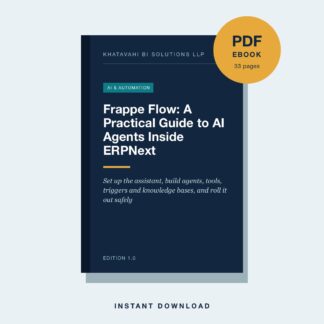
Frappe Flow puts an AI assistant inside your ERPNext and Frappe site. This practical guide shows how to install Flow, connect a model, use the assistant safely, and build AI agents, tools, triggers and knowledge bases that automate real work for Indian MSMEs.
What you will learn
- What Flow Is and Why It Matters: An assistant that operates your site in plain English, and a framework for building your own agents.
- Install and Configure Flow: Install the app, add a provider and a model, and check the background services Flow depends on.
- Choosing a Model: Quality, Cost and Privacy: How to pick providers and models, when to run locally, and how to keep spending under control.
- The Assistant Panel: Your First Conversations: How to open the panel, what each control does, and how to ask for work so it gets done right.
- Permissions, Approvals and Safety: Exactly what each built-in tool can do, what asks for approval, and how to run unattended agents safely.
- Building Your Own Agents: Create focused agents with clear instructions, the right tools and the right knowledge.
- Custom Tools: Give agents new abilities with script tools or tools written in your own app.
- Knowledge Bases: Answering From Your Own Documents: Set up retrieval so agents answer from manuals, policies, web pages and DocType records.
- Triggers: Agents That Run on Their Own: Run agents on a schedule or on document events, with conditions, prompts and safe identities.
- Memory and Feedback: Let agents keep useful facts and learn from corrections, without storing what they should not.
- Using Flow in Code: For developers: define tools, run agents and keep conversations from Python.
- Rolling Out Flow in a Small or Mid-Size Business: A short plan, governance rules, success measures and the mistakes to avoid.
- Quick Reference and Sources: The DocTypes, settings and shortcuts in one place, and what to re-check as Flow evolves.
Who this ebook is for
Business owners, ERPNext administrators and implementation consultants who want to use Frappe’s Flow AI assistant and agents safely in a real business.
Ebook details
- Format: PDF (instant download after purchase)
- Length: 33 pages
- Edition: 1.0
- Publisher: Khatavahi BI Solutions LLP
Frequently asked questions
What is Frappe Flow?
An app from Frappe that adds an AI assistant and an agent framework to Frappe and ERPNext sites. It can read and change records within your permissions, run on schedules or document events, and answer from your documents.
Which version does this guide cover?
It was written from Flow’s source code at the latest upstream commit in August 2026. Flow is evolving quickly, so the guide flags what to re-check on your version.
Does it need a paid AI provider?
Flow works with hosted providers through LiteLLM and with local servers such as Ollama or LM Studio. The guide compares the trade-offs in quality, cost and privacy.
Is it safe to let AI change my ERP data?
Flow respects user permissions and asks for approval before changes by default. The guide explains approvals, least-privilege service users for triggers, and a safety checklist.
What format is this ebook?
PDF, delivered instantly after purchase. Read it on any phone, tablet or computer.
How do I download it?
A download link appears on your order confirmation page and in your order email. Each link can be used up to 5 times within 7 days.

Reviews
There are no reviews yet.