

Description
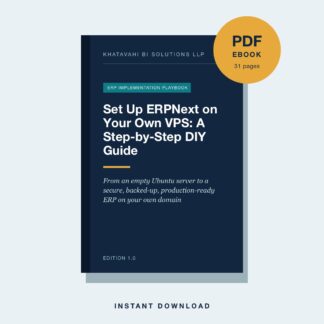
Want to install ERPNext on your own server instead of relying on a hosted plan? This step-by-step ERPNext installation guide takes you from an empty Ubuntu 24.04 VPS to a secure, backed-up, production-ready ERPNext version 16 site on your own domain, with every command written out.
What you will learn
- Before You Start: Decisions and Requirements: Decide hosting, sizing, domain and responsibilities before touching a server.
- Provision the VPS and Point Your Domain: Create the server, connect with SSH keys and point DNS at it.
- First Login and Server Hardening: Create a non-root user, lock down SSH, enable the firewall and automatic security updates.
- Install the Prerequisites: Install the system packages, Python 3.14, Node.js 24, MariaDB, Redis, wkhtmltopdf and bench.
- Create the Bench and Install ERPNext: Initialise a bench on branch version-16, create the site and install ERPNext.
- Go to Production: Nginx, Supervisor and HTTPS: Run the site as a managed service and secure it with a free Let’s Encrypt certificate.
- Email and Basic System Settings: Connect outgoing email and set the localisation defaults before anyone logs in.
- Backups and Restore: Your Safety Net: Automate backups, keep a copy off the server and prove that a restore works.
- Updating and Maintaining Your Server: A safe routine for updating Frappe, ERPNext and Ubuntu without surprises.
- Troubleshooting: The Problems Everyone Hits: A lookup table of symptoms, likely causes and fixes.
- Command Cheat Sheet and Go-Live Checklist: One page to print: the commands you will use weekly and the checks before real users arrive.
Who this ebook is for
Founders, plant managers and IT staff at small and mid-size businesses who are comfortable with a terminal and want to self-host ERPNext without paying for per-user licences.
Ebook details
- Format: PDF (instant download after purchase)
- Length: 31 pages
- Edition: 1.0
- Publisher: Khatavahi BI Solutions LLP
Frequently asked questions
Which version of ERPNext does this guide cover?
ERPNext and Frappe version 16 on Ubuntu 24.04 LTS, which needs Python 3.14 and Node.js 24.
Do I need Linux experience to self-host ERPNext?
You should be comfortable typing commands into a terminal. The guide explains each step, what to expect, and how to check that it worked.
Does the guide cover HTTPS, backups and updates?
Yes. It covers a free Let’s Encrypt certificate, automatic backups with an off-server copy and a restore test, and a safe update routine.
Can I add HRMS and India Compliance (GST)?
Yes. The guide shows how to install HRMS and India Compliance on the same ERPNext site.
Which hosting providers does it work with?
Any provider that gives you a plain Ubuntu 24.04 VPS with root access.
What format is this ebook?
PDF, delivered instantly after purchase. Read it on any phone, tablet or computer.
How do I download it?
A download link appears on your order confirmation page and in your order email. Each link can be used up to 5 times within 7 days.




Reviews
There are no reviews yet.